


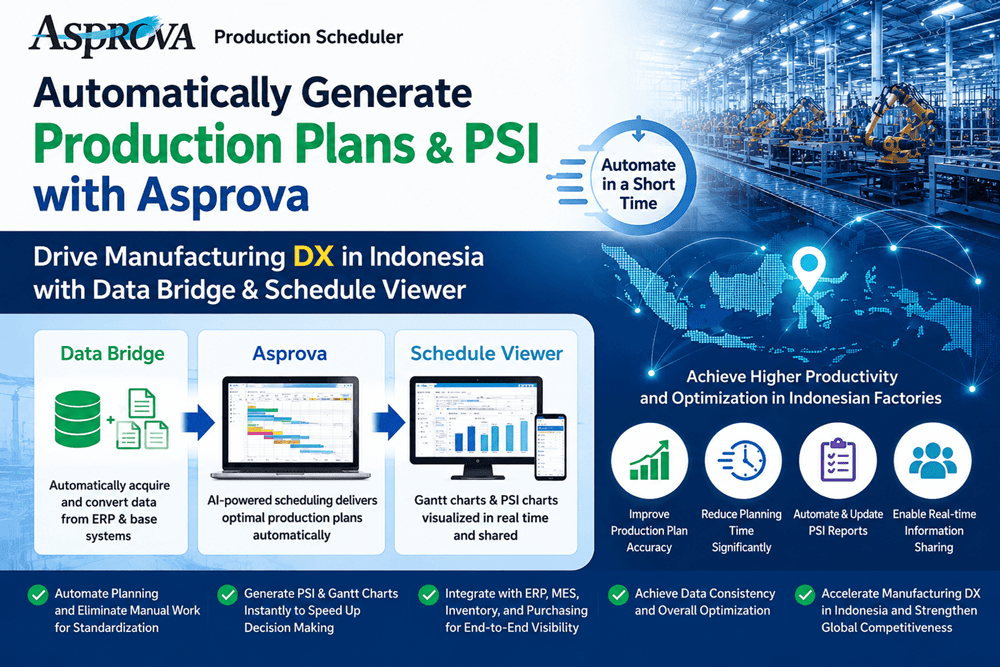
From Manual Planning to Automated Production Planning.

Asprova, Data Bridge, and Schedule Viewer provide a complete solution for automatically generating production plans, purchasing plans, and PSI reports.
By automatically integrating order forecasts, customer orders, inventory, BOMs, and other ERP data, the system quickly generates feasible production schedules while considering equipment capacity, due dates, safety stock, and production constraints.
This significantly reduces manual Excel work, standardizes planning processes, accelerates planning operations, and eliminates dependence on individual planners.
Why Can Production Plans and PSI Reports Be Generated So Quickly?

Data Bridge automatically retrieves the latest data from your ERP system and transfers it to Asprova.
Asprova simultaneously considers multiple production constraints—including equipment capacity, machine workload, due dates, safety stock, BOMs, and process sequences—to generate optimized production schedules in a matter of minutes.
Schedule Viewer then visualizes Gantt charts, PSI reports, and production progress in real time, providing a single platform from production planning through shop-floor execution.
What Changes with Asprova, Data Bridge & Schedule Viewer?
 By integrating ERP, Asprova, and Schedule Viewer, the following information is automatically updated in real time:
- Production Plans
- Purchasing Plans
- PSI Reports
- Gantt Charts
- Equipment Workload
- Inventory Status
Even when production conditions change, schedules can be regenerated within minutes, enabling manufacturers to respond quickly to demand fluctuations and delivery schedule changes.
How Does It Improve Your Production Planning Operations?

Manufacturers face unexpected changes every day, such as:
- Urgent customer orders
- Equipment breakdowns
- Material delivery delays
- Changes in forecast quantities
With Asprova, Data Bridge, and Schedule Viewer, production plans, purchasing plans, and PSI reports can be regenerated quickly using the latest operational data.
This dramatically reduces the workload of production planners while enabling agile, resilient production planning that can adapt to changing business conditions.
Accelerating Indonesia's Manufacturing Digital Transformation—Starting with Production Planning.
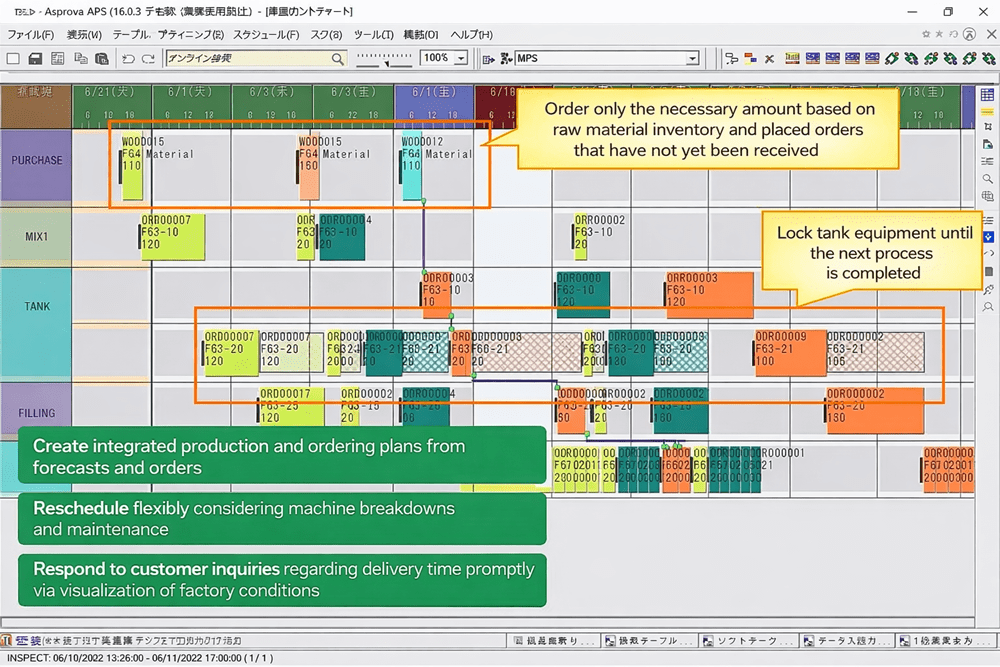
Asprova, Data Bridge, and Schedule Viewer automate production planning, improving factory-wide productivity while providing complete real-time visibility.
Automatically generate production plans, PSI reports, and Gantt charts in minutes, and build a smarter factory that can quickly adapt to change.
Please feel free to contact us for more information.